

Win the project with a twin in the proposal
The DC Sim partner program is for system integrators, MSPs, data-center builders, M&E consultants and colo pre-sales teams who design, build or run rooms for customers. You put the 3D twin in the proposal, hand it over as the live monitoring view after go-live, and earn a share on the Design license per project and on every month of Monitor.
The pitch, in your customer’s words
“Show me the room before you build it.” “What happens if the UPS fails?” “Where does this cable go?” “Which GPU server is actually earning its power?” A twin answers all four in the first meeting. Most proposals still answer with a floor plan and a spreadsheet.
What partners get
| Revenue share | 30 % margin on Design licenses and on Monitor subscriptions you bring, for as long as the customer stays; or an annual partner fee with a higher margin for partners who commit volume. Terms in the partner agreement. |
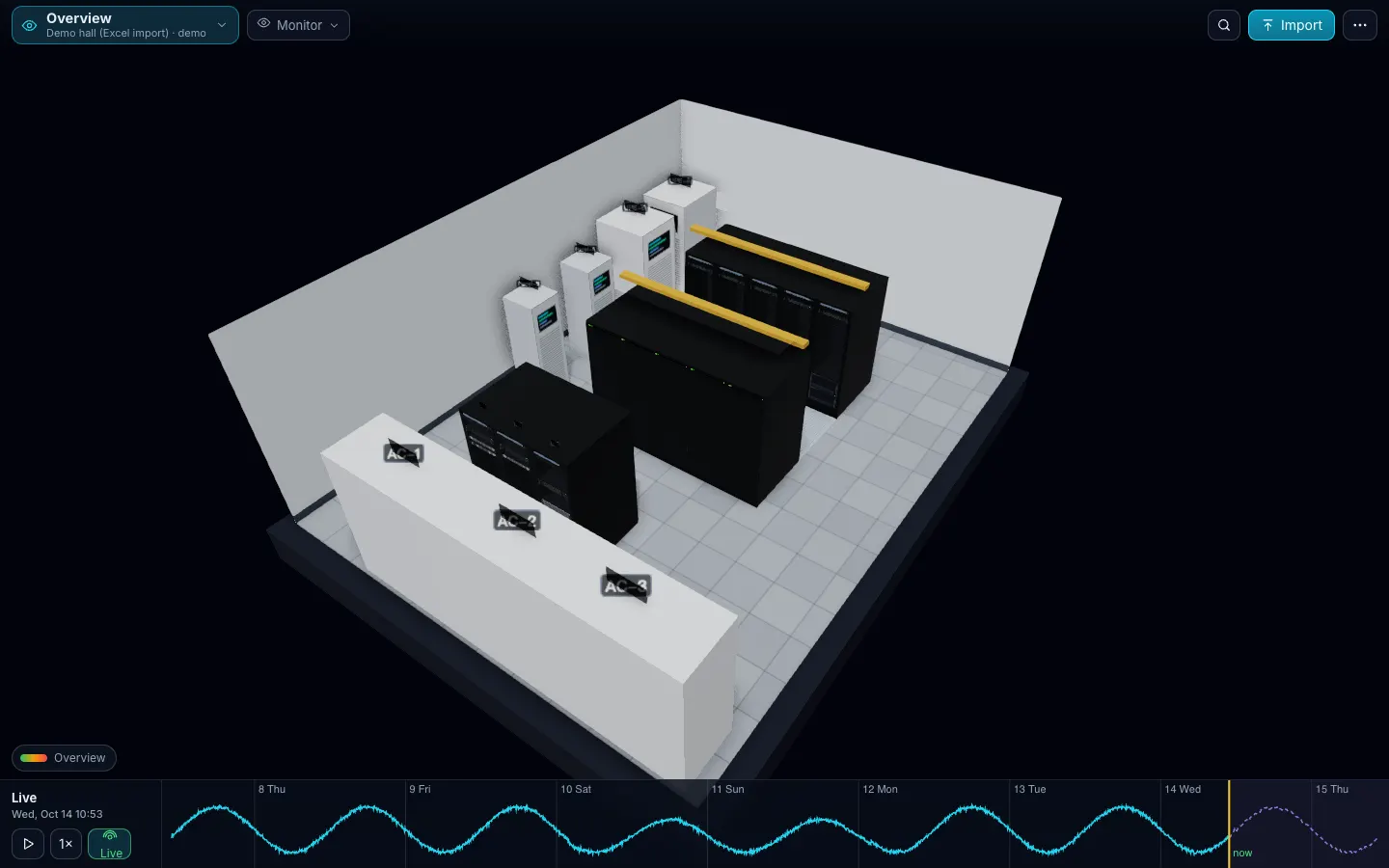
| Demo rooms | Ready-made rooms to present from: an edge room, a 96-rack hall with a liquid-cooled GPU row, and the demo hall built from the Excel template. We import your customer’s own file during the meeting. |
| Design licenses for proposals | A Design license per pursued project at partner price, so the twin is in the proposal before the customer pays anything. |
| White-label | The product ships as a brand switch today (two editions exist). A partner-branded edition is available on request under the partner agreement. |
| Training | Two half-day sessions (import and checks; Design and Simulate), the partner playbook, and the proof clips to reuse in your own decks. |
| Co-marketing | Integration and case-study pages on this site, joint webinars, lead referral in your region. |
| Multi-customer console | One login for all your customers’ twins. Roadmap |
Who this is for
- System integrators and data-center builders: design and build rooms of 5–200 racks.
- MSPs: run customers’ server rooms, edge sites and colo cages; sell Monitor as the “we see your room” layer.
- M&E consultants: need an honest, labelled, non-CFD what-if for small and mid rooms.
- Colo and hosting pre-sales: show prospects their future cage with their own equipment list.
- Technology partners: monitoring and DCIM vendors whose data we read and whose customers want a room view. → Integrations and the technology-partner one-pager.
How it works
- Apply by email (below). We reply within two working days with the agreement, the price list and a demo session.
- Train: two sessions, then you present from the demo rooms.
- Propose: a Design license per project at partner price; the customer’s Excel becomes the twin in the proposal.
- Hand over: the customer goes live on Monitor; you keep the share and the relationship.
Technology partners
If you make monitoring or DCIM software, DC Sim is the room view and the what-if on top of your data, not a replacement for it. Zabbix and NetBox come first; each connector is tested against a demo instance before we call it available. What we read, what we plan to write back, and what we ask of a partner: the technology-partner one-pager (PDF).
Apply
Write to da@mustardseedmt.com with your company, country, the rooms you design or run per year and the tools your customers use. The one-page summary for integrators and MSPs: partner program (PDF).
Is there a fee to join?
No fee for the revenue-share track. The fee-plus-margin track is optional for partners who want a higher margin and committed demo capacity.
Can I resell under my own brand?
On request, under the partner agreement. The product already supports a brand switch; a partner edition is a configuration, not a fork.
Who supports the end customer?
First line: you. Second line: Sensaka, with a shared ticket queue; the partner playbook covers the template and import problems.
What do I need to demo on day one?
A browser. The demo rooms are hosted, and we import your customer's own file during the meeting.
Which regions?
Sensaka covers Europe and English-speaking markets directly; the Chinese-language edition is distributed by CloudSino.
One Excel file. Your room in 3D.
Fill in the Devices sheet and send it with your walkthrough request; we import it on the call. What each sheet does